“Open Canva and search for my birthday poster”
· open url
Opened Canva and searched for “birthday poster” in a new tab.
 TANGY
TANGY
Tap the glowing ring, talk, and Tangy understands pages, tidies tabs, searches the web and sets reminders, then answers out loud.
Free to install · Works with your own AI key · The extension needs no account and has no tracking
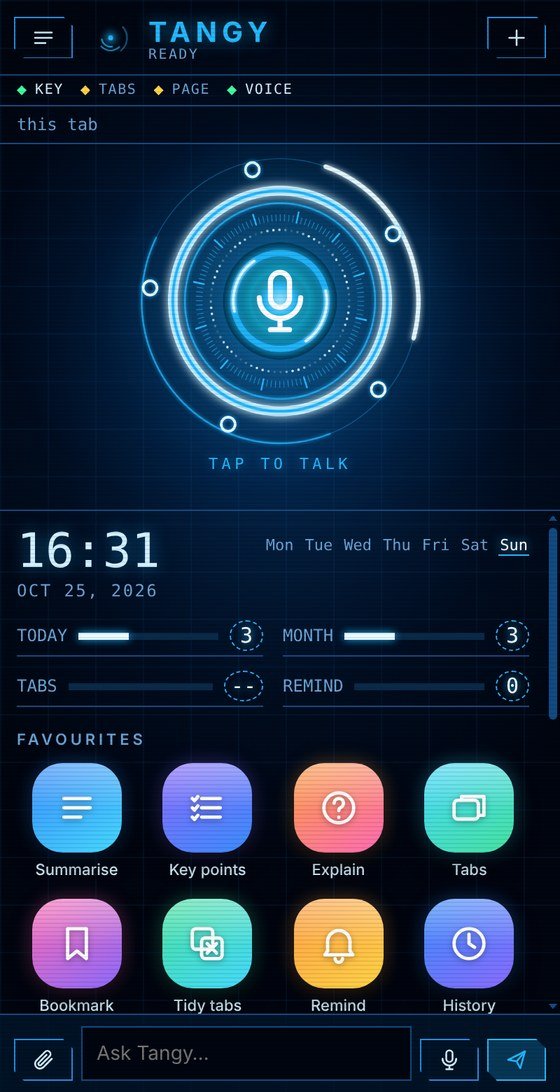
Tangy lives in Chrome’s side panel. You talk, it reads, searches, tidies and reminds. Calm, quick and completely private.
A demo with sample replies, so you can feel how Tangy responds. The real thing runs in your Chrome with your own AI key. Anything that closes or changes something asks you first.
TANGYDEMOEverything you would do with a handful of clicks, you can simply ask for. Pick a row.
The glowing ring at the top of the panel is your microphone. Tap it, say what you need in your own words, and Tangy gets on with it, then reads the answer back to you. Hands off the keyboard.
Ask about the page in front of you and Tangy reads it, only when you ask, then explains, summarises or pulls out the points that matter. Long articles are read in parts, so nothing gets skipped.
Say it and it happens, instantly, with no waiting on an AI. Open your favourite sites, search Google or YouTube, scroll, reload, go back. It feels like having hands for your voice.
Twenty tabs open and no idea which is which? Tangy can list them, jump to the right one, group them and close the duplicates. Anything that closes a tab asks you first, every time.
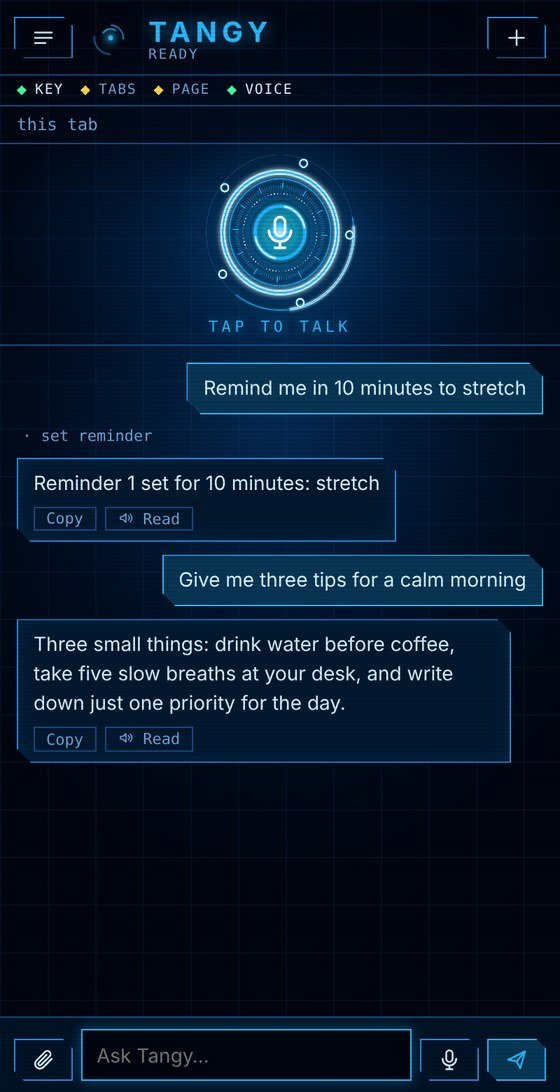
Ask for a reminder and a notification arrives right on time, even if the panel is closed. Tell Tangy things once, like your name or how you like answers, and it remembers. See, edit and delete every fact.
Tangy has no server of its own. Your key, chats and memory stay in Chrome on your computer. Your questions go straight to the AI provider you picked, and nowhere else. No account, no analytics, no ads.
Not just “what’s the weather”. Give it the boring, the long and the silly, and watch it get on with it.
· open url
Opened Canva and searched for “birthday poster” in a new tab.
Done. Ten drafts, each with its own tone:
Tap and talk
Any page, in a second
Google, YouTube, sites
List, switch, tidy
Right on time
Yours to edit
Ask about them
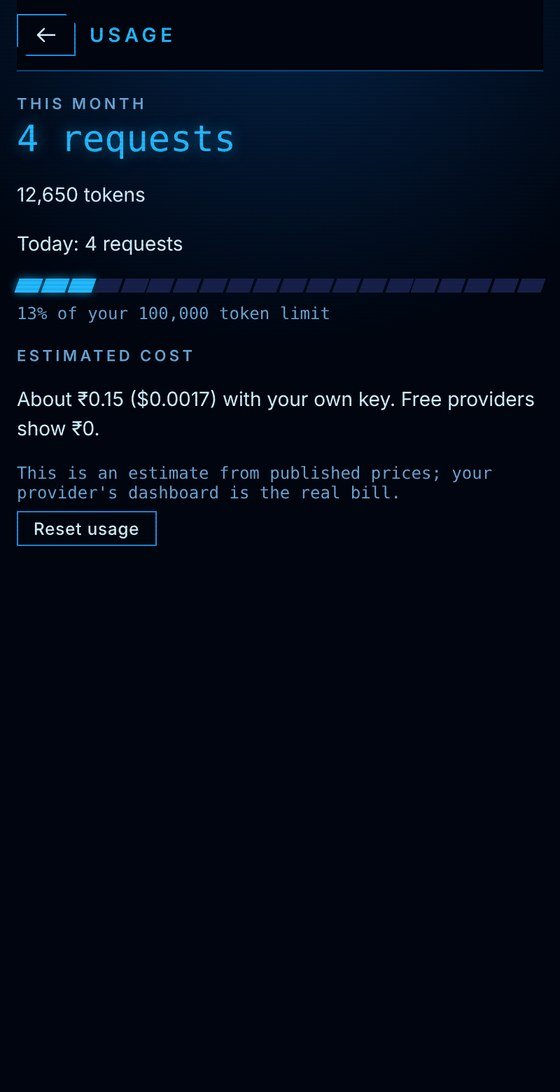
Know the cost
Tap and talk
Any page, in a second
Google, YouTube, sites
List, switch, tidy
Right on time
Yours to edit
Ask about them
Know the cost
Know the cost
Ask about them
Yours to edit
Right on time
List, switch, tidy
Google, YouTube, sites
Any page, in a second
Tap and talk
Know the cost
Ask about them
Yours to edit
Right on time
List, switch, tidy
Google, YouTube, sites
Any page, in a second
Tap and talk
Paste a key from the provider you like. Tangy talks to them directly, with nothing in between.
Thoughtful and careful. Claude Haiku is the default.
Lightning-quick answers, with a free plan to start.
Great with long pages, files and pictures.
More providers are coming. Tell us which one you want.
Provider names belong to their owners. Tangy is not affiliated with or endorsed by Anthropic, Groq or Google.
Tangy’s servers — the extension has none. Voice input uses Chrome’s own speech recognition, which sends audio to Google’s speech service to turn it into text.
Your chats, memory, settings and API key live in Chrome’s storage on your device. We never see them.
Your messages (and any page text or files you include) go straight to the AI provider you pick. Voice goes through Chrome’s own speech service.
Your email, plus your name and use if you add them, so we can send Tangy news. It’s a mailing list, not an account. Details
Install Tangy (needs Chrome 116 or newer), then press Alt+T or click its icon to open the side panel.
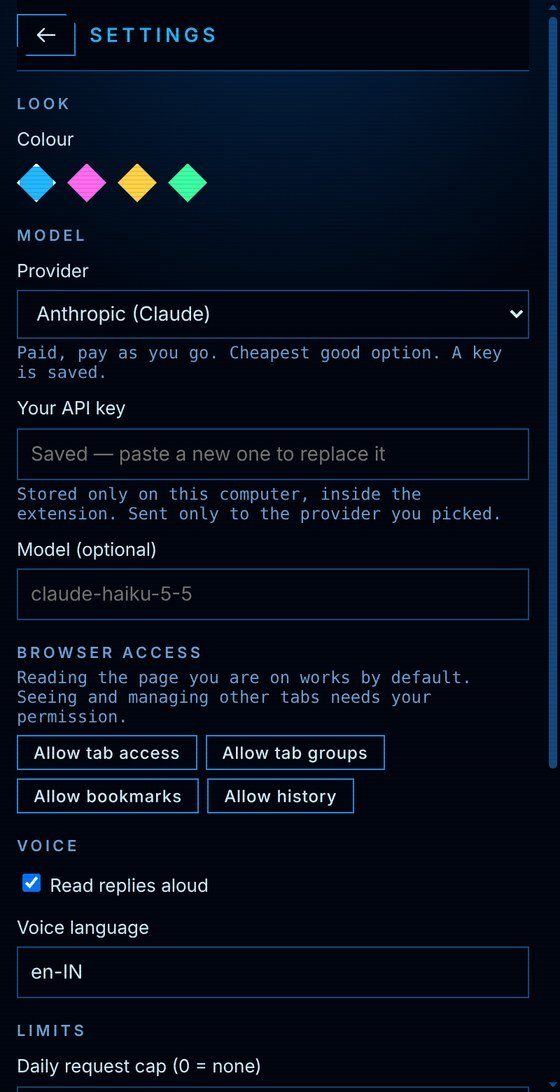
Open Menu, then Settings, and paste your own API key. It goes only to the provider you choose.
The first time, Chrome asks to allow the microphone. After that, just say what you need.
The free plan is the real Tangy, not a trial. A hosted plan with more power is on the way.
Bring your own key · $0 for Tangy
Hosted, no key to manage
Tangy Plus is not on sale yet and this site takes no payments. If it launches, this page and the privacy policy are updated first.
Yes. The extension is free. Today you use it with your own API key from Anthropic (Claude), Groq or Google Gemini. Groq and Gemini offer free plans with limits. Anthropic is pay-as-you-go, billed by Anthropic, not by us.
No. The extension works without one. The sign-up page is a mailing list for launch news, not an account. Real accounts may come with Tangy Plus, and the privacy policy will be updated before they do.
By default, Claude Haiku, a fast and affordable everyday model that is great for quick answers, summaries and commands. With your own key you can type a different model name in Settings if your provider offers one.
Today, yes. Paste it once in Settings and Tangy works. A hosted option that needs no key, Tangy Plus, is planned but not available yet.
Only what you ask it to. It reads the tab you are on when you ask about it. Tabs, bookmarks and history are optional and need one click of permission each. Chrome’s own pages and the Web Store are always off limits.
Your chats, memory, settings and key stay in Chrome’s storage on your computer. Your messages, and any page text you include, go only to the AI provider you picked. Nothing from the extension goes to us. Voice input uses Chrome’s own speech recognition, which sends audio to Google’s speech service to turn it into text. The only thing this website collects is what you choose to type into the sign-up form.
No. Page and file text is treated as data, never as instructions, and anything risky, like closing tabs, asks you first. Esc stops whatever Tangy is doing.
Tangy can’t switch Chrome profiles, sign you in or out, click or type inside web pages, or control your computer outside the browser. It can make mistakes, so check anything important.
Chrome on Android doesn’t run extensions. A separate Tangy phone web app exists for chat, reminders and memory, but it can’t see your browser.